Create and run my own website
Learning HTML, CSS and little bit of JavaScript in one week!
Used tools and programming languages:
- Pure HTML, CSS and JavaScript
- VSCode and ssh linked GitLab
- Web creation guides, LLMs
Creation
I started with few basic courses on how syntax in HTML works (links bellow) and progressed to some actuall web designing practics and tutorials. My only prior experience was from desing a school project website using a free framework for non-programers and it was a mess. Thats why I opted not to use any pre-made templates or frameworks and using only freshly gained knowladge with additional help from multiple LLM chatbots went through few hours of web development process. I had a great time, mainly with CSS and JS tools for animations and effects, although it took me a while to understand its logic and when to use JS instead of painfully complex CSS.
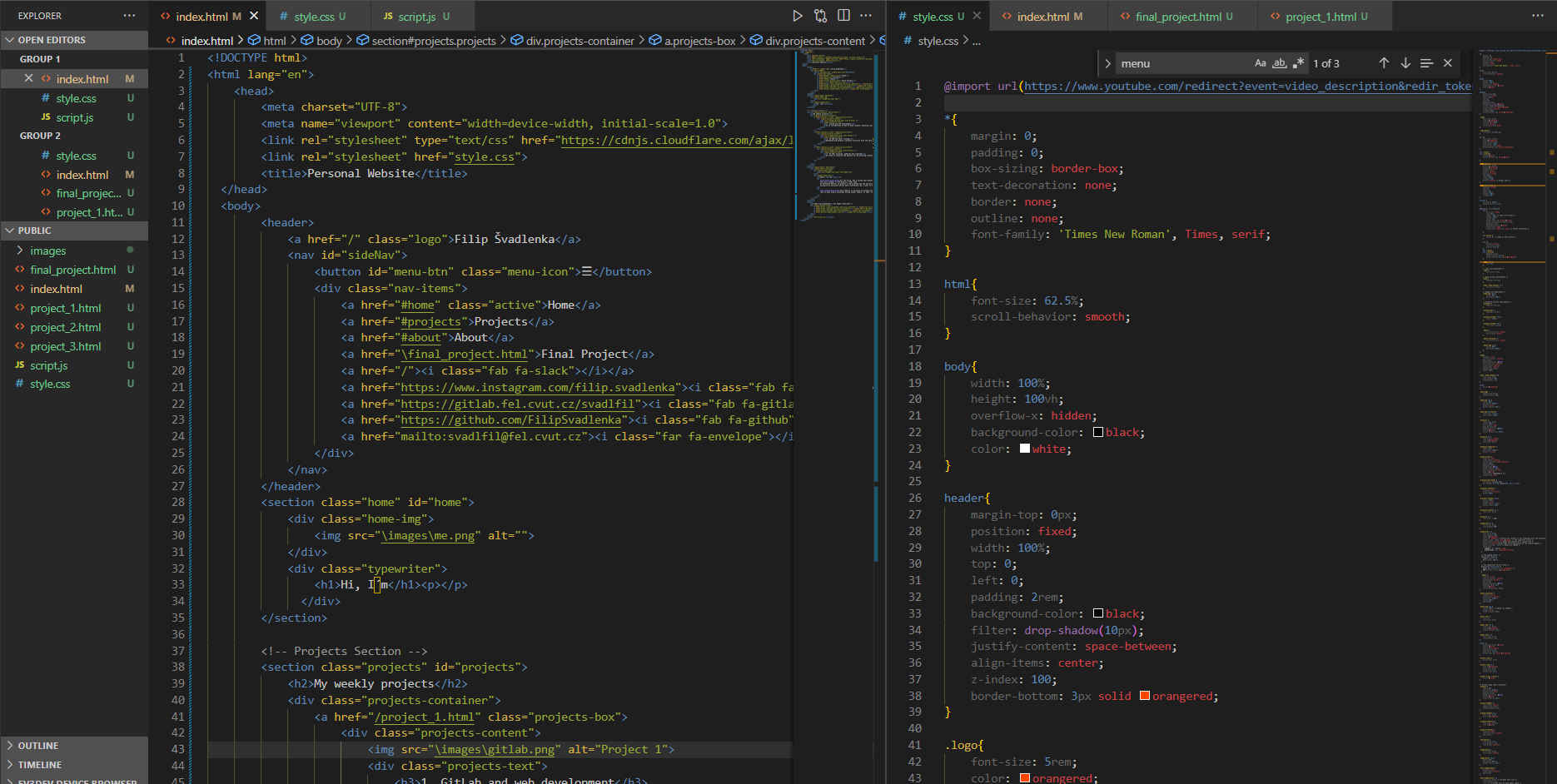
Screenshot from VSCode. For visual inspection, I used Live Server extension
Design & Git
I wanted my website to be compatible with even small screen devices (mobile phones), so I implemented a @media method to change dimensions and dynamics of my site proportionaly. I also want it to be in my style, but usable in the future as my personal website. Or atleast its basic structure. My source of inspiration were many websites of students before me and also my favorite design sites of some tech companies.
With a help of kind classmate skilled in web development and git, I was able to connect my VSCode files with online GitLab repository using ssh and gitbash. I definitely could have done it in VSCode and then copy paste it to online editor, but that would be so efficient and smooth, mainly with images upload.
Summary
I learn bunch of new stuff and was quite suprised, how exciting it was to learn the website creation process. I will continue to improve my website over the span of this course and can´t wait to fill it with awesome projects. Vamos!